Chart Risk Manager
MetaTrader 5 Expert Advisor

See every trade's risk before you click

Drag entry, stop-loss and take-profit on the chart. Chart Risk Manager sizes the lots from the risk you set and shows you the order before anything is sent.

The free version is free forever; Pro has a 7-day free trial.
Lots from your risk

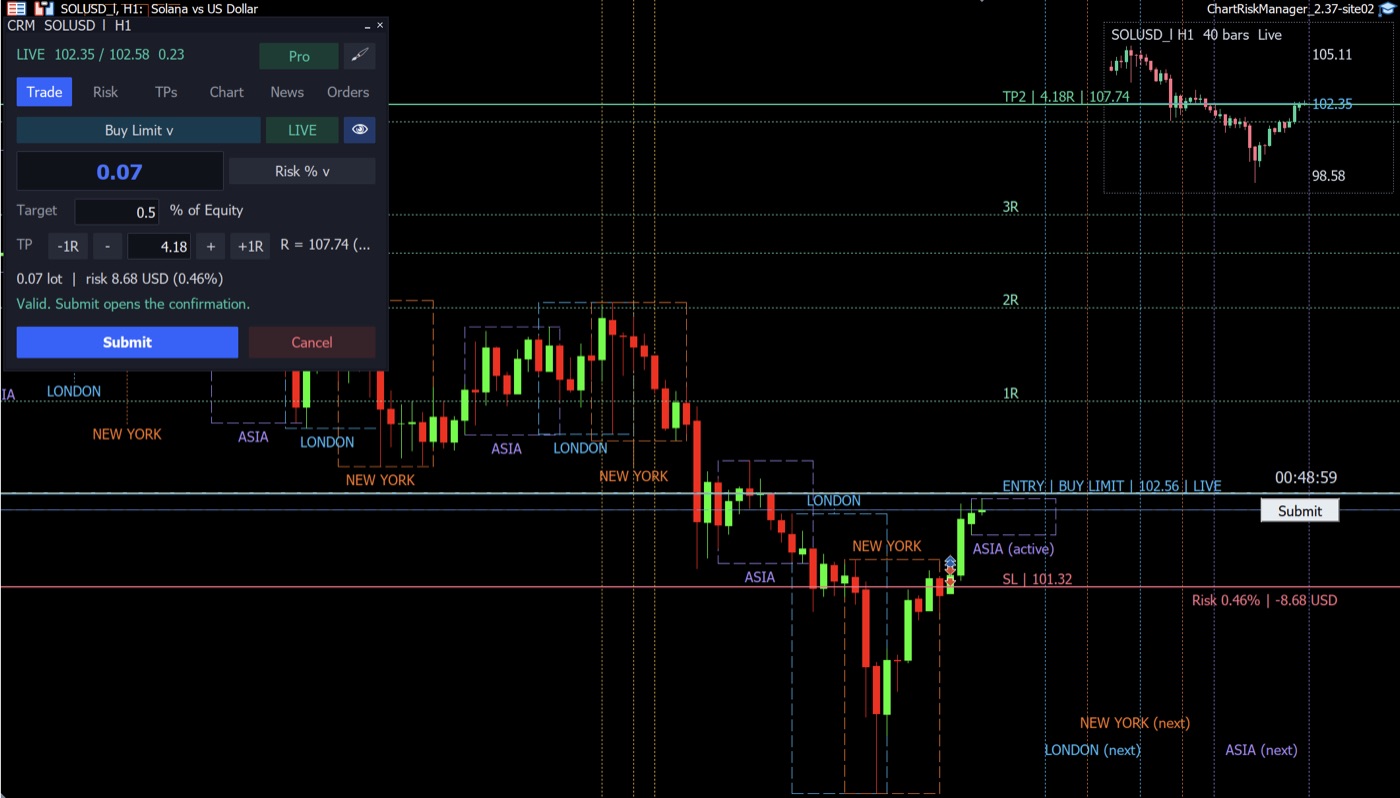
Set the risk as a % of balance or a fixed amount; lots are calculated including commission.

Plan on the chart

Drag the entry, stop-loss and take-profit lines; risk and reward update instantly.

Pro

Several take-profits

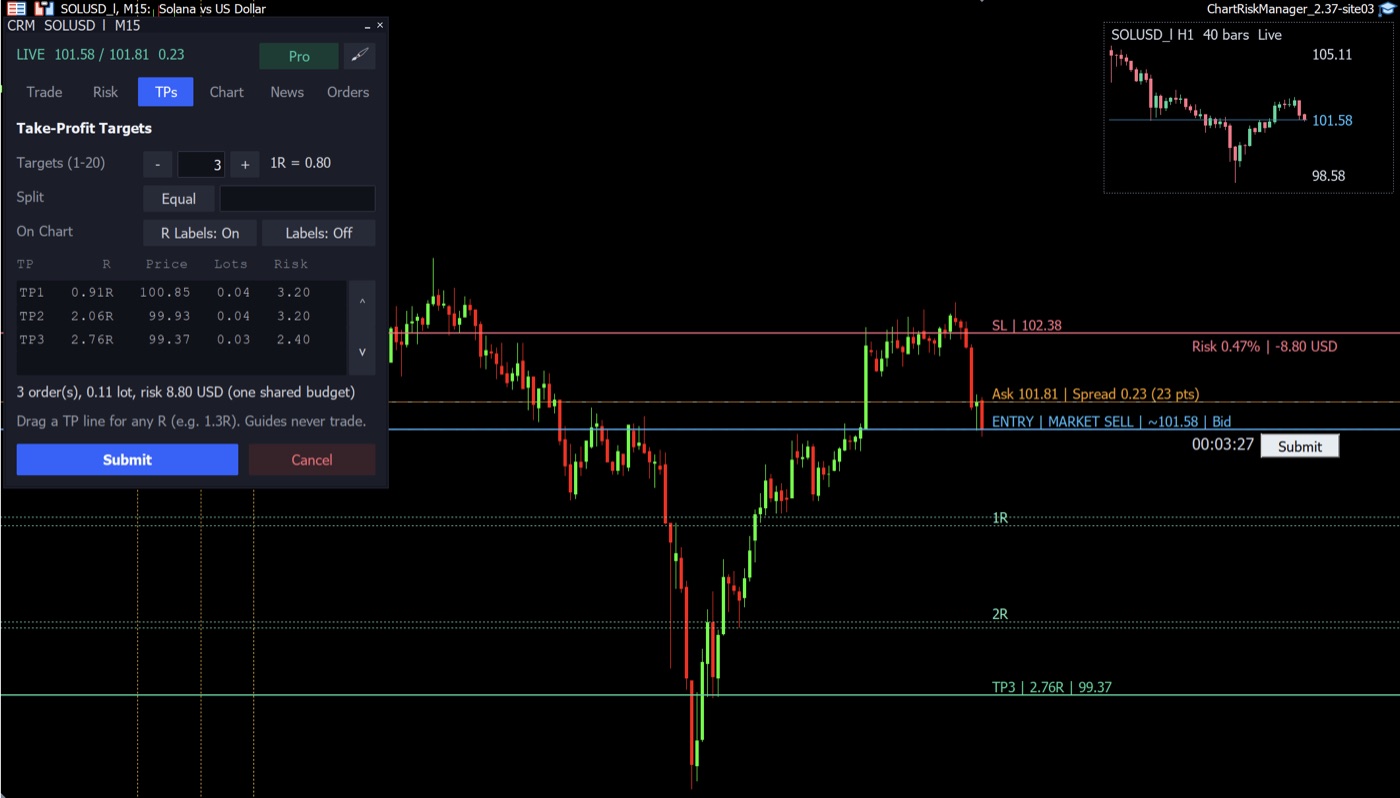
Split one trade across up to 20 take-profits set in R multiples.

Pro

Risk-Free and trailing stop

One click moves the stop to break-even (costs included) or trails it behind the price.

News and sessions

High-impact news warnings, trading-session boxes and a candle countdown on the chart.

Nothing sent without you

Every order is reviewed and confirmed before sending; per-trade and total risk caps are enforced.

Free or Pro

Free

Forever, no licence key needed.

  • Lots from your risk
  • Plan on the chart
  • News and sessions
  • Nothing sent without you
  • One take-profit per trade
Download free

Pro

With a licence key, or the 7-day free trial inside the EA.

  • Everything in Free
  • Up to 20 take-profits in R
  • Risk-Free and trailing stop
  • Higher-timeframe mini-chart
  • 7-day free trial
Choose a plan

Download and install

Download the free version; a licence key or the free trial turns the same file into Pro.

Download for MetaTrader 5

.ex5 file · version 2.37 · Windows and macOS (MT5)

  1. Copy the file into MetaTrader's MQL5\Experts folder (File > Open Data Folder), then Refresh the Navigator.
  2. In Tools > Options > Expert Advisors tick Allow WebRequest and add this address: https://manage.licenser.shop
  3. Drag the EA onto a chart; its panel opens.
  4. For Pro: click the licence badge, then Free Trial, or enter your key and press Activate.
Download the poster to share

Buy in three steps

  1. Pick a plan and networkYou see the exact amount and the wallet address.
  2. Send USDTThe payment is confirmed automatically and your licence key is shown right there.
  3. Activate in the EAEnter the key in the EA's licence view and press Activate.

Plans

Network
E-mail or renewal (optional)

After ordering you see the exact amount and the wallet address. A payment within 60 minutes is confirmed automatically and your licence key is shown.

Questions? See the buying guide and FAQ